

How to Get the Livewire Online App 🤳


Oh yeah, we have a web app now 😎.
For desktop computers and laptops.
The Livewire site runs best in the Chrome browser.
Open Livewire in your Chrome browser and sign in.
In your browser address bar, you will see a little screen icon with an arrow on it.

Click this icon, and then click Install.
Livewire will now sit as an icon in your toolbar or on your desktop. You can click that icon to go straight to the Livewire site.

For Android Phones.
When you visit the Livewire site, you will get a pop-up asking if you want to Install Livewire. Click Install…
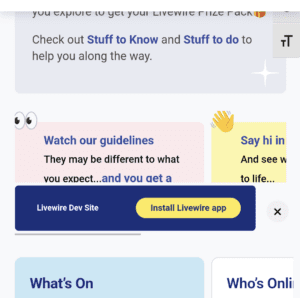
… and then click Install again.
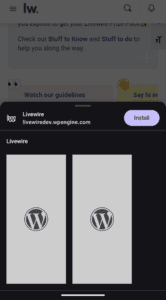
Livewire will now sit as an icon on your phone screen.
Dismissed the pop-up and can’t get it back, or aren’t seeing it? No worries! You can use the instructions above for Desktops and Laptops on your Android phone too. Just make sure you are using a Chrome browser.
For iPhones and iPads
To add an icon to your Home Screen on an iPhone or an iPad, use your Safari browser and head to the Livewire site. From there, click the Share icon.

And then click Add To Home Screen.

Livewire will sit as an icon on your phone screen.
Want to turn on notifications?
Check out all the info on notifications in this post 😊.

Responses